Run your 3D printing business from production to profit.
Plan production, schedule print jobs, manage inventory, understand product costs, and keep sales connected to what you manufacture.
Production · Inventory · Costing · Sales
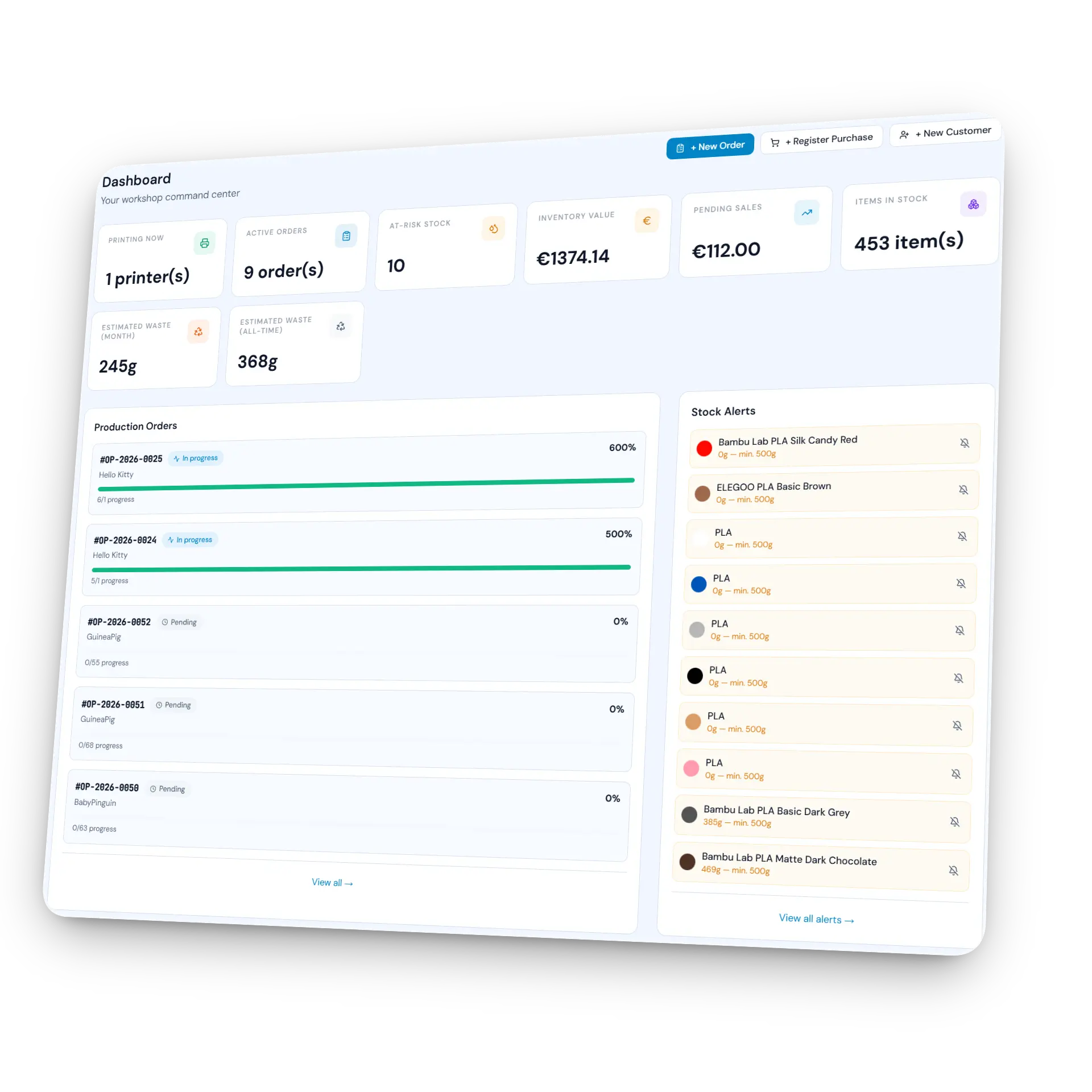
One place to manage the business around your printers.
SpoolIQ is production and business management software built specifically for people who sell 3D printed products.
Manage production orders, print jobs, printers, spools, components, product costs, stock and sales in one connected workflow — instead of spreading the same information across slicers, spreadsheets and inventory apps.
Plan what needs to be made.
Turn product demand into production orders, BOM requirements, print jobs and scheduled work for compatible printers.
Know what you have.
Track filament, spools, printed components, hardware, extras and finished products across your operation.
Understand what goes into your product cost.
Combine material, machine costs, electricity, labour, assembly and extras with the batch yield of your production setup.
Keep manufacturing and selling connected.
Compare product costs with selling prices, configured channel fees and available stock.
Turn product demand into planned work for compatible printers.
A product order is only the beginning. SpoolIQ uses your BOM and production setup to show what needs to be made, turn those requirements into print jobs, and help you assign and schedule work across your printers.
- 1Production Order
- 2BOM Requirements
- 3Print Jobs
- 4Printer Schedule
- 5Components
- 6Finished Stock
Production orders
Define what you need to manufacture and keep the required components connected to the finished product.
Print jobs & scheduling
Organize pending work, assign jobs to compatible printers and see what is planned on your production agenda.
Printer-specific production
Manage different printer models, configurations and production profiles without treating every machine as interchangeable.
SpoolIQ manages the workflow around your printers.
SpoolIQ does not currently connect directly to, control or monitor your printers.
Keep using the slicer and printer tools you prefer. SpoolIQ manages the production and business workflow around them — planning, scheduling, inventory, costing and stock.
Your sliced file already knows part of the story. SpoolIQ connects the rest.
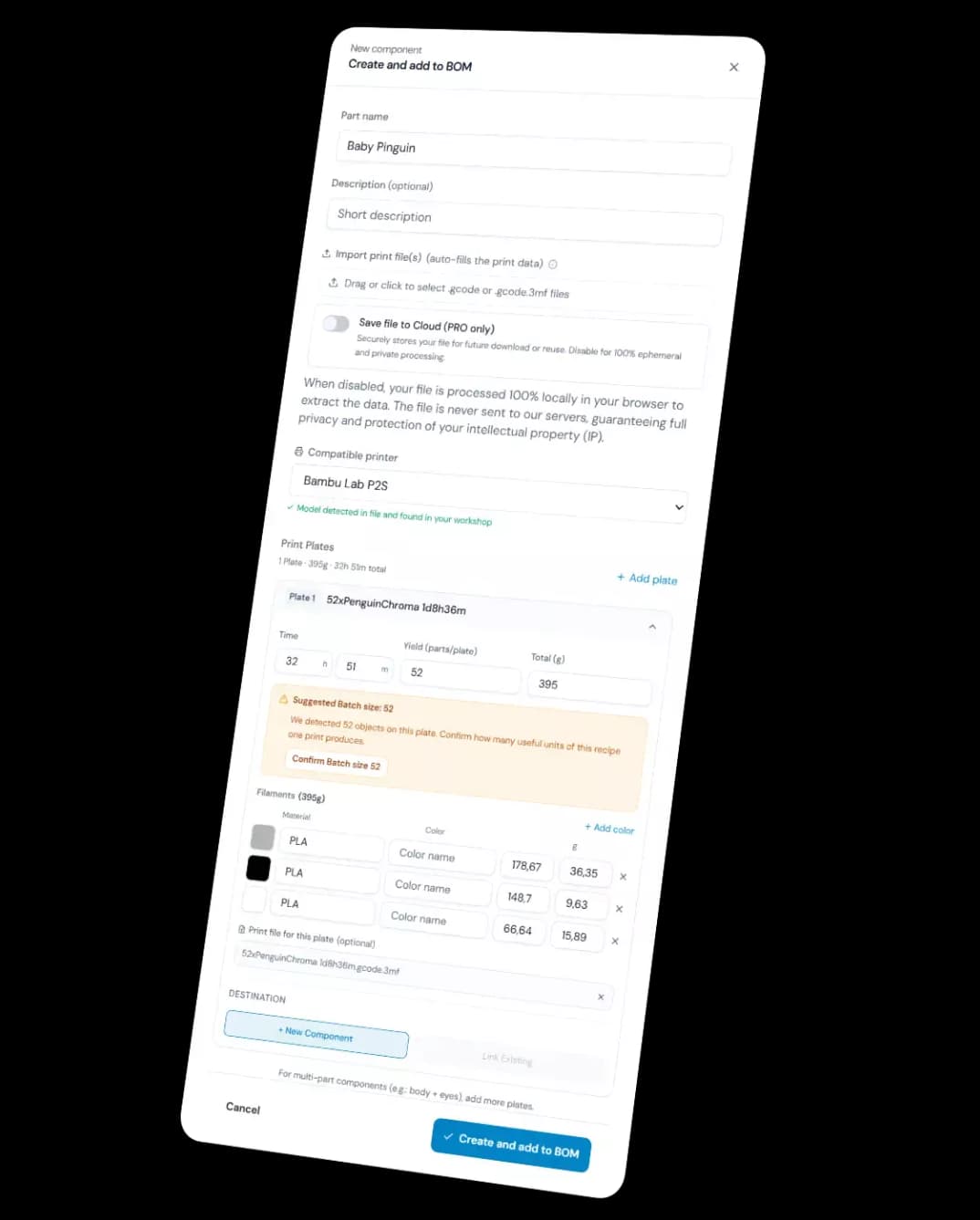
Use production data from .gcode and .3mf files to help build your BOM, preserve the batch yield defined by your production setup, and combine printing with assembly, hardware and other product costs.
- 1.gcode / .3mf
- 2Production data
- 3BOM
- 4Batch cost
- 5Unit cost
Respect real production constraints
If your production setup is designed to produce 48 units per run, SpoolIQ can calculate the cost of that batch and the corresponding cost per unit. It does not pretend that a fixed production setup can arbitrarily produce a different quantity.
Go beyond filament cost
Include material, machine costs, electricity, labour, assembly time, packaging, hardware and other extras when calculating product cost.
Production-file analysis happens locally
Processed locally in your browser. Your .gcode or .3mf file does not need to be uploaded to SpoolIQ just to extract production data.
Inventory that follows what you print, build and sell.
Filament inventory is only one part of production.
SpoolIQ connects the materials you buy to the components you print, the extras you use and the finished products you can sell.
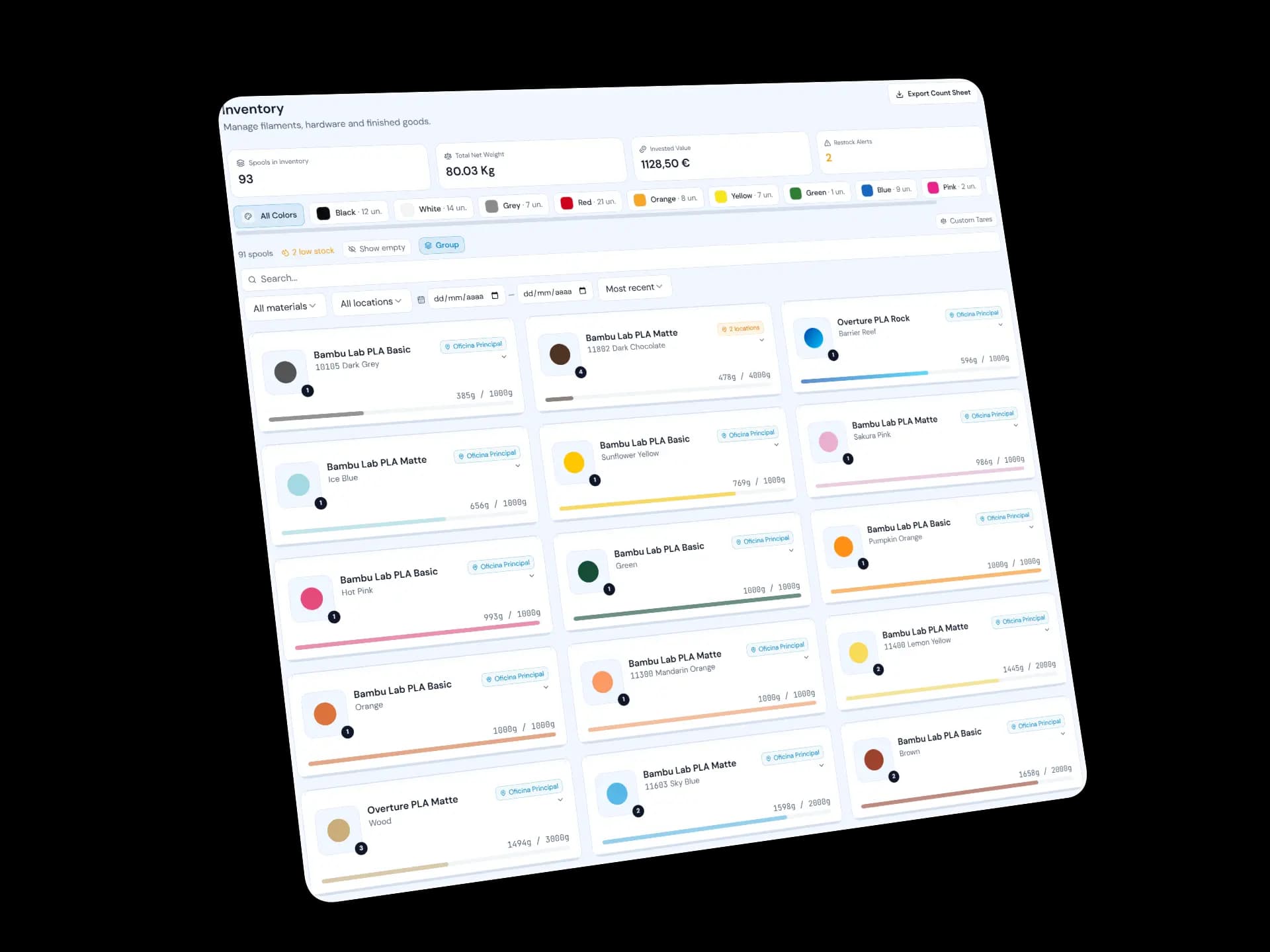
Spools & materials
Track the filament you own, what it cost and how it is used across your production setup.
Component stock
Printed components can exist independently from finished products, so usable output does not disappear just because assembly comes later.
Finished products
Keep finished-product stock connected to production instead of rebuilding your inventory manually after every manufacturing run.
See how product costs and selling fees affect what remains from a sale.
A selling price needs more context than filament cost alone.
SpoolIQ connects manufacturing costs with your selling price and configured channel fees so you can make better pricing decisions.
See costs change with the product
Update the BOM, add hardware or change production inputs and see how they affect the product cost.
Model selling-channel fees
Include configured fee structures for channels such as Etsy, Shopify and other marketplaces when evaluating pricing.
Price the product you actually manufacture
Base costing on the production setup, BOM and batch you use instead of relying on a generic material multiplier.
Built for people who sell what they print.
Sellers & solo makers
You sell 3D printed products and need to know what they cost, what is in stock and what needs to be made next.
Growing multi-printer businesses
More printers, more products and more orders have made spreadsheets increasingly difficult to keep accurate.
Small print farms
You need production planning, inventory and costing around your printer fleet without adopting an industrial manufacturing system designed for a large factory.
SpoolIQ grew out of the problems I needed to solve in my own 3D printing business.
As Loprim3D grew — more products, more spools, more orders and printers from different brands — it became increasingly difficult to keep production, costs, components, stock and sales connected.
I started building SpoolIQ to bring that work into one system designed specifically for 3D printing businesses.
Today, SpoolIQ is used every day to run the same multi-brand printing operation it grew out of. The problems I encounter in real production continue to shape what gets improved next.
The workflows are shaped by the same questions SpoolIQ is designed to answer:
- What needs to be made?
- What will it use?
- What does it cost?
- What is available?
- What can be sold?
Made by makers like you
A growing community of 3D printing businesses with their own SpoolIQ showcase.

SpoolIQ keeps evolving with the business it was built to run.
Saved Production Recipes
Save and manage known production setups for your products.
Production Agenda
Schedule production work across your available printers.
Printer-specific production profiles
Manage different printer models and the production setups compatible with them.
Shopify integration
Connect Shopify sales and stock movements more closely with SpoolIQ.
Start with the business you have today.
Use SpoolIQ for free while your operation is small, then move to Pro when you need more capacity and more of your workflow connected.
To get started and try the platform.
- Up to 2 printers
- Up to 50 spools in inventory
- Basic order management
- Cost dashboard
- QR Code scan
- PWA app (mobile)
- Email support
- Up to 1 photo per product
For serious makers who need to grow without limits.
- Unlimited printers
- Unlimited spools & stock
- Unlimited orders
- Advanced analytics & reports
- CSV / PDF export
- 5 languages: PT, EN, FR, ES, DE
- Priority support
- Up to 10 photos per product
- Public showcase page
- AI marketing content
Secure billing. Cancel anytime.
Frequently asked questions
What is SpoolIQ?
SpoolIQ is a business management platform built for 3D printing makers and small print farms. It helps manage inventory, production, product costing, customers and a public showcase from one place. Unlike printer control software, SpoolIQ focuses on the business side of 3D printing, helping makers understand costs, improve profitability and organize their workflow.
Who is SpoolIQ designed for?
SpoolIQ is designed for makers who sell 3D printed products, Etsy sellers, small print farms and businesses managing multiple printers. Whether you sell through social media, your own website or marketplaces, SpoolIQ helps organize inventory, production and finances.
Does SpoolIQ connect directly to 3D printers?
No. SpoolIQ does not monitor printers or stream live print jobs. Instead, it complements software like Bambu Studio, OrcaSlicer, OctoPrint or Klipper by managing the business around your printers, including inventory, production planning, product costing and profitability.
Can I manage multiple 3D printers?
Yes. SpoolIQ supports multiple printers, production queues and different printer configurations, making it suitable for both individual makers and small print farms.
How does SpoolIQ calculate the cost of a 3D printed product?
SpoolIQ calculates production cost for every product by combining multiple factors, including filament usage, electricity consumption, printer wear, preparation time, assembly time and additional expenses, creating a complete Bill of Materials (BOM) that includes packaging materials, labels or shipping supplies. This gives a more complete production cost than simply calculating filament usage.
How does production management work in SpoolIQ?
A production order defines what needs to be made. SpoolIQ uses the product's Bill of Materials (BOM) and your production setup to work out component requirements, turn those requirements into print jobs, and help you assign and schedule that work across compatible printers. Component and finished-product stock update as jobs are completed.
Spend less time reconstructing your business from spreadsheets.
Keep production, inventory, costs and sales connected in a system built around how 3D printed products are actually made.